Read your way
Open articles in your default browser, or pick a separate one for reading. Reader mode strips the page down to the text, with adjustable size. Full articles can be fetched ahead of time for offline reading.
An RSS reader that shows your feeds in the order they were published. No account, no ranking, nothing in between you and the sites you follow.
Free and open source. Android, iOS, macOS, Windows and Linux.
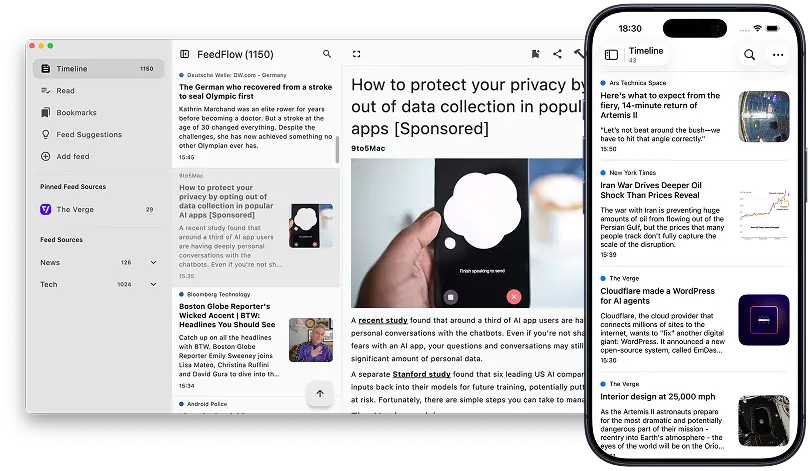
Open articles in your default browser, or pick a separate one for reading. Reader mode strips the page down to the text, with adjustable size. Full articles can be fetched ahead of time for offline reading.
Keep everything on one device, or sync through iCloud, Dropbox or Google Drive. Already run a feed server? FeedFlow connects to FreshRSS, Miniflux, Feedbin and BazQux.
Import and export OPML to move in or out of any other reader. Group feeds into categories, bookmark articles for later, hide articles containing words you block, and search everything you've fetched.
“This is the RSS reader we were all hoping for. There is NO reason a reader needs to be complex, gimmicky, or generate lock-in.”
“I love FeedFlow! It does exactly what an RSS reader should do, and has no unnecessary extras or complications… It works great on my phone, my tablet, AND on my desktop, allowing synchronisation between the devices.”
“This app is a hidden gem, it is very minimal and uses almost no disk space. It has everything you need to keep up with the news.”
“Has everything I need — a highlight is definitely the word blocklist because not many readers have that. Also automatically converts YouTube channels to RSS feeds.”
“This works great with my FreshRSS server! For the most part, it is perfect.”
“Very user-friendly, recommend to anyone interested in RSS — whether you've used an RSS reader before or you're just starting out.”
Use it on several devices and keep them in sync with iCloud, Dropbox, Google Drive or your own RSS server.
The timeline, the sidebar and reader mode on Mac, iPad, iPhone and Android.
Import an OPML file from your current reader and start where you left off. Free, with no account to create.
Follow along
FeedFlow is built by Marco Gomiero, who posts release news and work in progress on these accounts. Code, issues and translations are public.
X
@marcoGomierBluesky
@marcogomiero.comMastodon
@marcogom@androiddev.socialGitHub
github.com/prof18/feed-flowWeblate
Help translate the app